How to use Samsung Pay in India using Galaxy devices

Screenshot_20170310-144551
I had the opportunity to receive an update on my Samsung Galaxy Note 5 for the Samsung Pay app. Back then when Apple launched apple pay they marketed it as the next wave of payments and (as usual) just with yet another Apple ceritified payment terminal payment could be as easy as waving your iPhone across the counter when you were with a merchant.
However Samsung had to do something to counter this onslaught of Apple and they looked at this whole payment thing in a different light. What if they could replace card swipes across existing payment terminals with an app (and needless to say some hardware technology) ? They could then pull the carpet under Apple’s feet. And that is precisely what they finally did. Launched Samsung Pay. An innovation that did not need any change in existing hardware at any merchant. The only thing was that Samsung had to align with the banks for virtualizing their cards on the phone or equivalent devices such as the smartwatch and it was pretty much done.
This whole thing became so seamless that you could use it from day one. Its unfortunate that while the feature was already available since 2015 end in other countries it has made it to India only by 2017 which is really late and I hope Samsung learns from this. But then demonetization, alignments with banks, etc have impacted the launch a bit and they had to clearly plan it out. Alignment with banks in India is still a cumbersome process but something Samsung has finally completed. Not all banks participate with Samsung but many are about to sign up and you already have the major ones such as SBI, HDFC, Axis and ICICI on board. Standard Chartered and Citi are on the way too. Given these biggies control most of the banking market in India, pretty much many of these cards would then be covered under Samsung Pay.
Screenshot_20170310-144606
So what really does it take to use the application? You need a supported version of a Samsung smartphone such as Samsung Galaxy S7, Note, etc  or a smartwatch such as the S2 or S3 series. You need to install the application, add your credit or debit cards that are supported by the application. Adding a card involves authenticating the application to use your bank details by verifying an SMS sent to your registered mobile number. Its really that easy. And you are done. As for the smartwatch you can install Samsung pay application which is specifically tuned for the watch and add the same cards there as well.
Walk over to any merchant near your house, make a purchase and when you are about to pay, fire up the card by swiping up from home screen, choose your card, and you have options to pay using PIN or fingerprint. Once you input either of those an MST (magnetic secure transmisison) happens and your card data is provided to the card reader. Then on you still need to enter the 4 digit PIN for your card and your transaction is completed.
The same thing works from both the Samsung S3 frontier smartwatch as well as the smartphone and will be a big boon in how easily a payment can be made. Imagine taking out the right credit card from a bunch of cards in your wallet? Those days are over. And if you have a watch, even the days of using your smartphone to make that credit card payment will be over soon Smile
Take a look at the video and if you like it, and you appreciate Samsung’s innovations for its users, please do like, and share the post.

Read why the Electrohome alarm projection clock is one of the most useful gadgets for every home

From a long time I had one drawback being myopic. If I removed my spectacles while sleeping at night, I could not read my clock no matter how near it was. It was annoying to switch the light on, or use any other means to read the time. The last thing I needed was to do all this to disturb my sleep and others’ sleep around me.

In India there are innovative and useless solutions for these things at the same time. Like the talking clock which was like someone spooking you from the dead in the middle of the night, to Ajanta’s huge big LED clock that required a 220V AC supply which it had to be tied upto in order to display a red LED schemed clock somewhere high up on the wall. I was always yearning to just lie down on the bed, and know what the time was without audio hints, or switching on the light or disturbing others.

Enter the electrohome projection clock sold on Amazon.com. From a long time I was fascinated by projection clocks, but never really understood how difficult they would be to maintain over a period of time. Plus the nuisance of their availability only abroad meant that I could never ask someone to get me one or even buy it myself simply because it would not be shipped to India.

I had a chance to go to USA on an official trip, where I decided to order this off Amazon to fulfil my long standing desire to own a projection clock. For 29.99$ this was not very expensive, so I went ahead and ordered it. Amazon shipped it to me promptly enough. The one drawback in year 2016 was that these were still being shipped with 110V power adapter instead of having a universal 110-220V one, which meant I had to do more gimmicks to get it working in India. I had to plug in into a crude step down transformer to ensure I did not blow the device up by mistake.

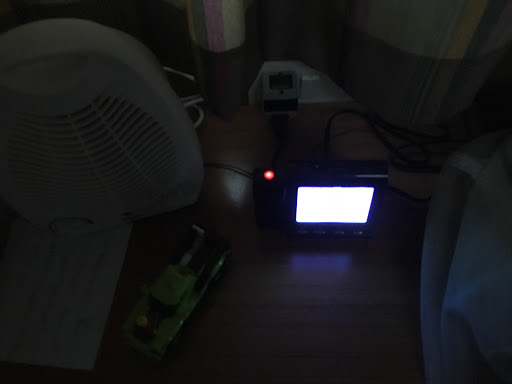
Once I setup the device, I was rather pleasantly surprised, and very happy with the investment made on the most important feature of the clock – the projected clock face. The clock projects via a red LED, the time to the nearest point on the wall or ceiling. And the digits were huge, and could be read at any time of the night with or without spectacles, even if you were in half sleep. I have even tried reading it through a mosquito net (commonly used while sleeping in a country like India) and it was still quite legible. However I must point out here that projection it to a rather far off surface beyond 10 feet may not yield great visibility all the time.

With two alarms, a button to switch the clock face by 180 degrees depending on how you would like to read it, and a soothing blue LED clock display with three brightness levels, and an add on FM radio, this thing is totally worth the 30 bucks you put on it. There are so many people who design something but the ultimate question is always on how usable it is eventually. In the case of the Electrohome projection clock, this is the best value for money 30 bucks can give you for a clock. Highly legible, highly non intrusive, always there for you on the ceiling or a nearby wall, bright and clear and with good amount of features – all these make the buy an absolutely valuable one. There are even focus controls for improving legibility on each wall you project the clock to. Further to that for a country like India, a feature where there is an internal battery to keep track of time in case of a power cut, adds all the more icing on the cake. And it even displays the ambient temperature based on where you have put the sensor to measure the same.

So should you buy one of these? Oh heck absolutely yes. Plonk 30 bucks and order it right now, and I give you my word, you would not be disappointed with the purchase. Be reminded that to use this in India, you need a step down transformer 220v to 110v. Plug it in, and enjoy the show.